
Open Receive in your Monero wallet, create a new subaddress, copy it, and check its first and last characters before use. On mobile, use the Receive page of an app installed through a link from GetMonero.
Monero
How to Withdraw Monero (XMR) from XAUUSD.RUN
Check the Monero address, amount, conversion rate, and fee, then track the TxID after the system sends the real transaction.
Prepare an XMR receiving address
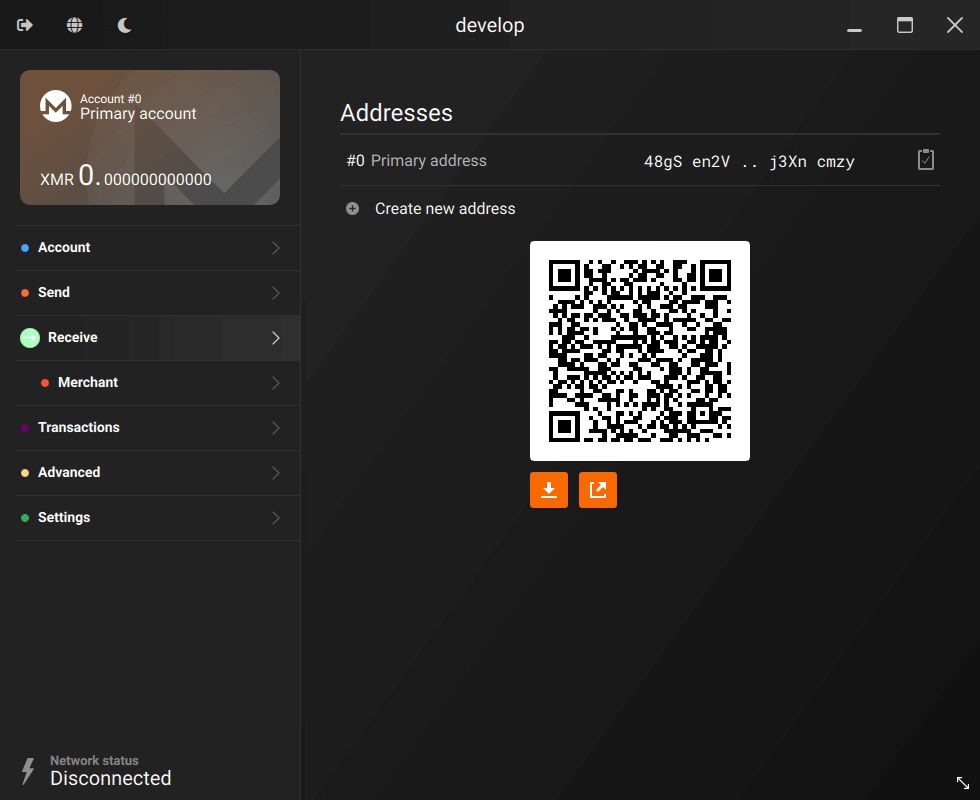
Never use an address for another asset or another network.
Open the withdrawal page and select XMR
Open Wallet → Withdraw. Before accepting the request, the system displays the USD amount to be deducted, the XMR/USD rate, and the estimated XMR amount. This system withdraws only in XMR, so there is no USDT network option.
Do not confirm if the summary does not clearly show the units or conversion rate.
Check the address and amount, then complete two-factor authentication
Paste the address, compare its beginning and end, enter the amount, and review the net amount and fee. Then confirm with 2FA.
A transaction sent to the network cannot be reversed.
The system verifies and sends the transaction
After the checks pass, the system creates and broadcasts the transaction, records the TxID, and changes the status to sent.
The status must not be changed to sent merely by entering a TxID manually.
Check the TxID in withdrawal history
Open withdrawal history to view the transaction status, net amount, and TxID. The destination wallet displays the funds after it synchronizes and the network confirms the transaction.
Recipient and amount details are private on Monero, so verify them using the sender’s and recipient’s wallets.