
Sign in, open Wallet → Deposit, then select XMR. The same page adapts to both desktop and mobile screens.
Monero
How to Deposit Monero (XMR) into XAUUSD.RUN
Deposit XMR to the system’s primary address and submit the TxID and transaction key to prove the deposit correctly on desktop or mobile.
Open the deposit page and select XMR
If the deposit service or price data is unavailable, the page must report that it is unavailable. Do not send XMR until the deposit page shows both the complete address and exact amount to transfer.
Verify the system’s primary XMR address
The deposit page displays the primary address 485PJg92Yu29E4ioaSpN8ihZUWtMt1yB7EAXepZDQNt8RY5fb86jAdXKY3MHmVBh9EY9ajcCyUtLfYrfYP6w64w89PYXWgt. Copy it from the deposit page or scan a QR code generated directly from that address.
Before sending real funds, confirm that every character of the address in the sending wallet matches the primary address above.
Send XMR from the source wallet
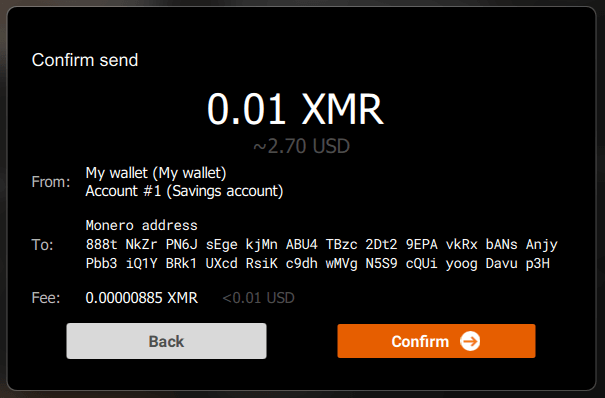
Open Send in the source Monero wallet and paste the primary address copied from XAUUSD.RUN. Check its first and last characters, then enter the system-specified XMR amount to all 8 decimal places. Wait for the wallet to synchronize and review the fee before confirming. See the field details in the official Monero payment guide.
Example conversion of the $1,000 minimum deposit into XMR
At a reference price of $558.80 per XMR, the calculation produces 1.78954903 XMR. The system rounds the base amount up to 1.8 XMR, then adds transaction-specific digits, for example 1.80048327 XMR. The depositor must transfer every digit shown on the deposit page so the system can match the payment to the correct account. This is only an example based on the reference price on 8 October 2026; always use the amount displayed by the system when making an actual deposit.
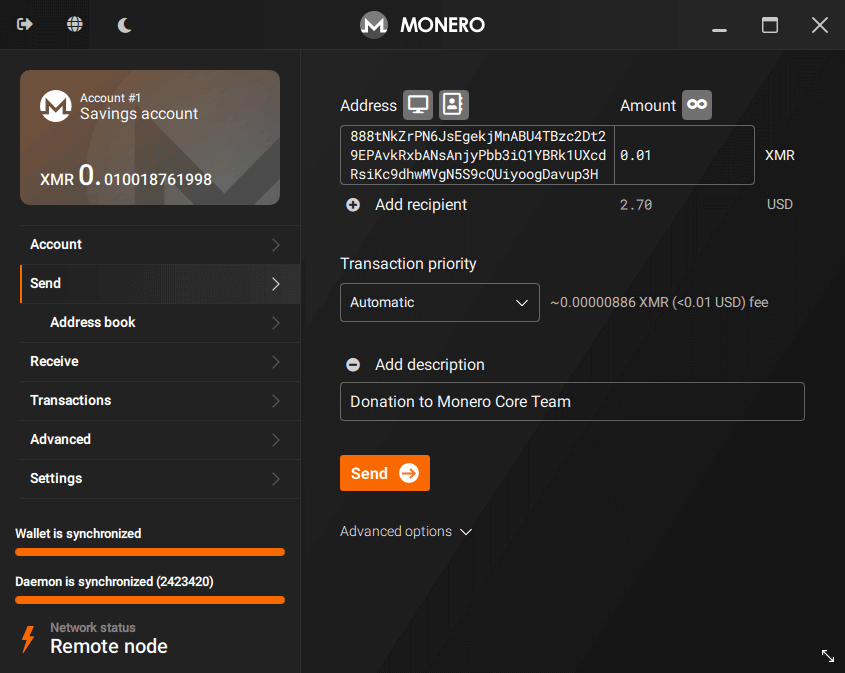
A confirmed Monero transaction cannot be reversed.
Submit the TxID and transaction key to verify the deposit
After sending successfully, copy the TxID and transaction key from the source wallet’s transaction details and submit them to verify the transaction. The system checks the address, transaction-specific amount, and transaction data before crediting the account. See how to find the transaction key in the Monero proof-of-payment guide.
The system uses the transaction key to verify evidence during confirmation and does not store it. Never send a recovery phrase, spend key, or view key to the system or anyone else.
Wait for confirmations and credit in USD
Once the required confirmations are complete, the system checks the amount of XMR received and uses the transaction’s XMR/USD rate to calculate and credit the balance exactly once.
If the transaction or price cannot yet be verified, it must remain pending and must not be credited from an estimate.